 위린이
위린이
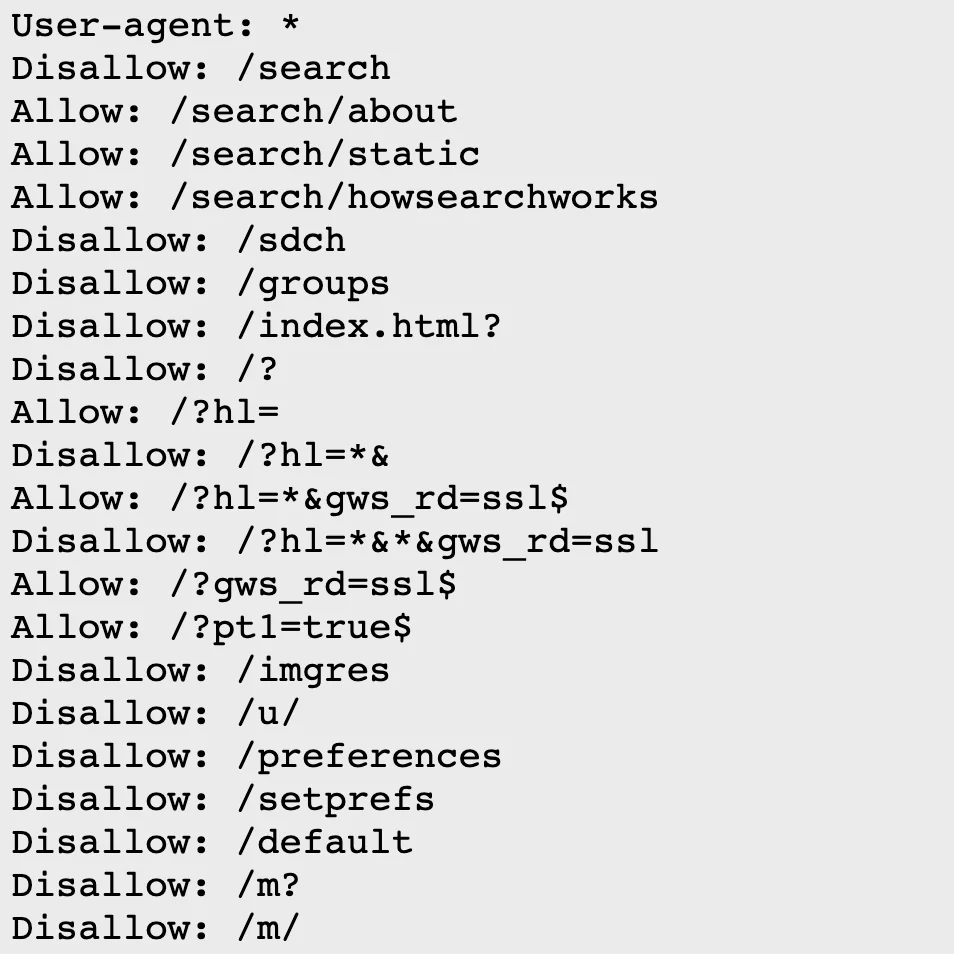
How robots.txt works
Search engines use crawlers (Googlebot, Bingbot, etc.) to discover and index web pages. robots.txt tells these crawlers which paths they can and cannot access. The file sits at the site root (https://example.com/robots.txt). robots.txt became an official internet standard via RFC 9309 in 2022.
Need to generate one quickly? Use robots.txt Generator.
Syntax
User-agent: [crawler name]
Allow: [path to allow]
Disallow: [path to block]
Allow all pages for Googlebot:
User-agent: Googlebot
Allow: /
Equivalent shorthand (empty Disallow means nothing is blocked):
User-agent: Googlebot
Disallow:
Multiple crawlers
Allow Googlebot full access, block Yeti (Naver) completely, allow Bingbot only /about:
User-agent: Googlebot
Allow: /

User-agent: Yeti
Disallow: /

User-agent: Bingbot
Allow: /about
Disallow: /
Common user-agents
- Googlebot - Google
- Bingbot - Bing
- Yeti - Naver
- DuckDuckBot - DuckDuckGo
- Baiduspider - Baidu
- GPTBot - OpenAI
- ClaudeBot - Anthropic
- * - all crawlers
Additional directives
Sitemap
Google and other major crawlers support the Sitemap directive. While not part of the core RFC 9309 spec, it’s widely adopted.
User-agent: *
Allow: /

Sitemap: https://example.com/sitemap.xml
Crawl-delay
Crawl-delay sets seconds between requests. Bing supports it, Google does not (use Search Console’s crawl rate settings instead).
User-agent: Bingbot
Crawl-delay: 1
Comments
Lines starting with # are comments.
# Allow all crawlers
User-agent: *
Allow: /
Summary
- robots.txt goes in the site root directory
- User-agent specifies the target crawler
- Allow/Disallow controls path access
- Sitemap points crawlers to your sitemap
- robots.txt is advisory, not a security mechanism